Build Your Own AI Chatbot
lab2 is an AI web app builder: describe the chatbot you want in plain English and it writes the code, boots the app in a hosted runtime, and hands you a live URL. Your own ChatGPT-style assistant — no framework setup, no deploy step.
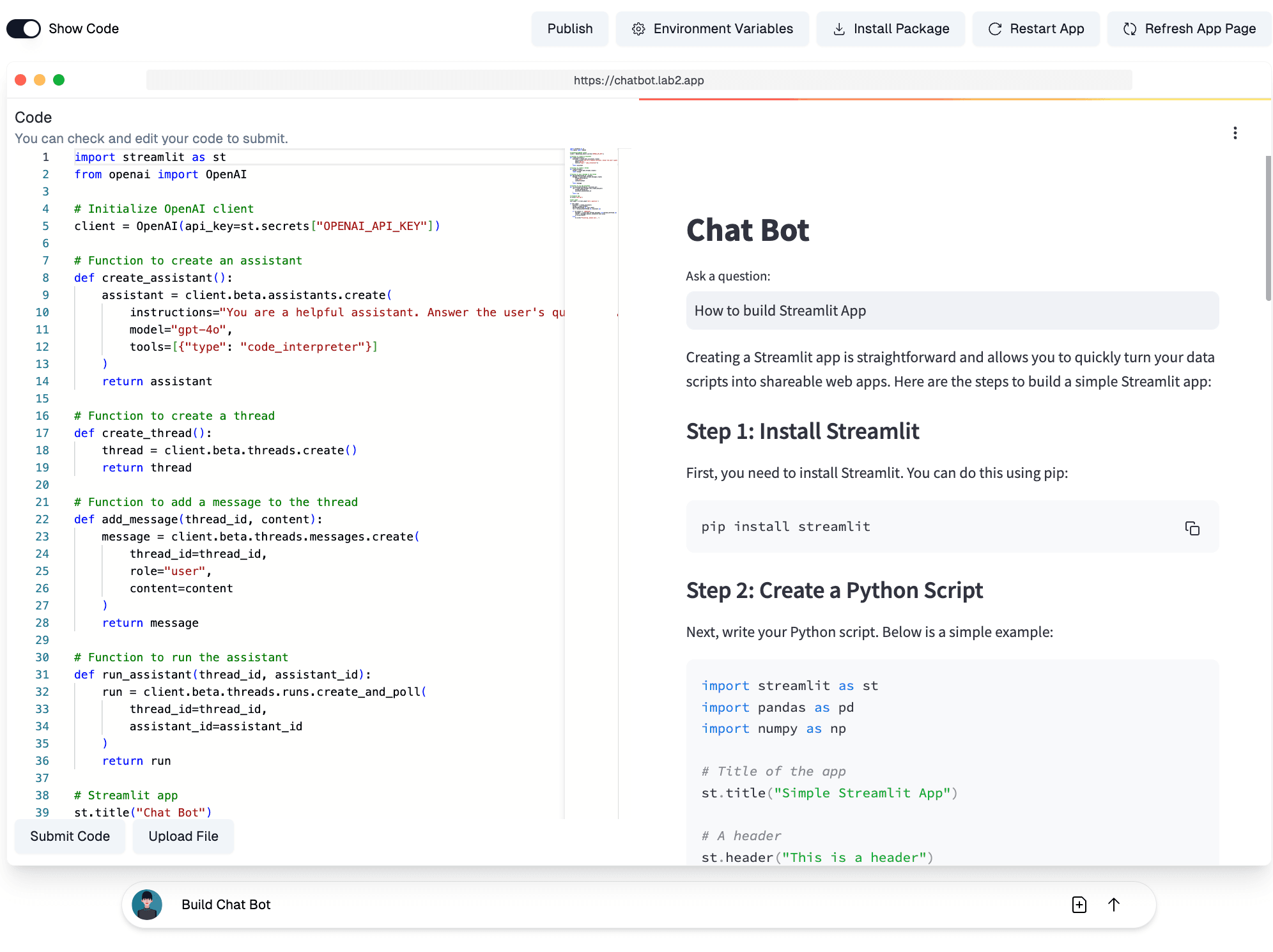
From one prompt to a running chatbot
A chatbot is the classic first AI app — and the classic rabbit hole. Building one by hand means picking a web framework, wiring up an LLM API, handling conversation state, and finding somewhere to host it. With an AI web app builder, the whole stack collapses into a sentence: tell lab2 to build a chat bot, and it generates real, working code and runs it in a hosted environment while you watch.
The generated app is yours to shape. Ask for conversation history, a system prompt picker, streaming responses, or a different look, and lab2 edits the code while the running preview updates alongside the conversation. Because it executes the app for real, it reads its own error output and fixes problems automatically — you never touch a traceback.
The result is a live chatbot at a shareable URL: send it to your team, embed it in a workflow, or publish it to the community gallery. It's the same loop behind every lab2 app — describe, generate, ship — applied to the app everyone wants to build first.
Three steps to your own chatbot
Prompt: build a chat bot
Type the request in plain language. lab2 writes the full app — interface, LLM call, conversation handling — and boots it in a hosted runtime.

Add your API key
The generated code reads the LLM API key from an environment variable. Paste yours into the app's environment settings — it stays private to your app.
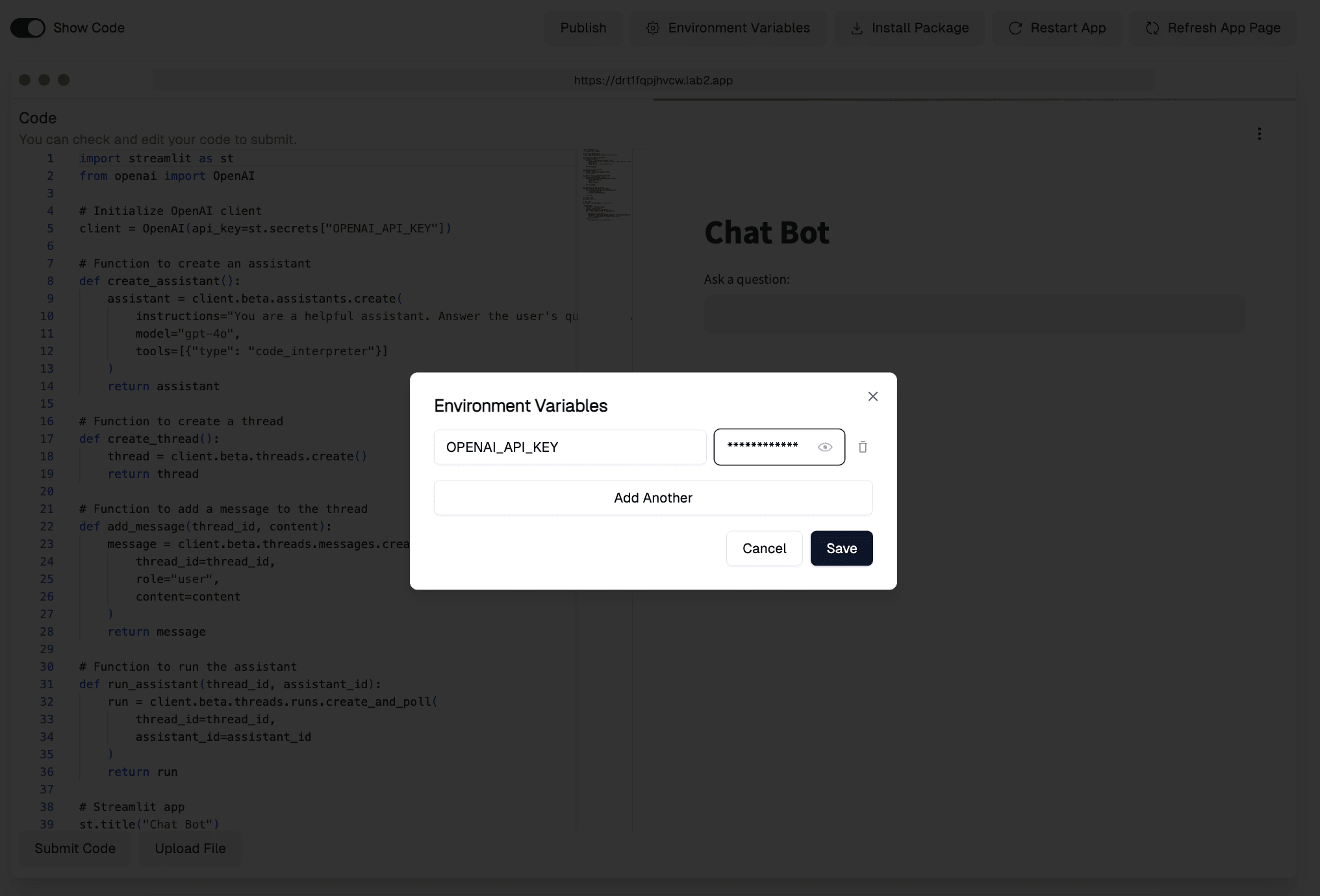
Restart and chat
Restart the app so the key takes effect, and your chatbot is live at a shareable URL. Keep prompting to change its behavior, memory, or look.
AI Chatbot FAQ
More use cases
App generators