Build a Text-to-Image Generator
Describe the playground and lab2's AI web app builder ships it: an app where anyone types a prompt and gets AI-generated images back, running at a live URL. No model hosting, no interface code, no deploy step.
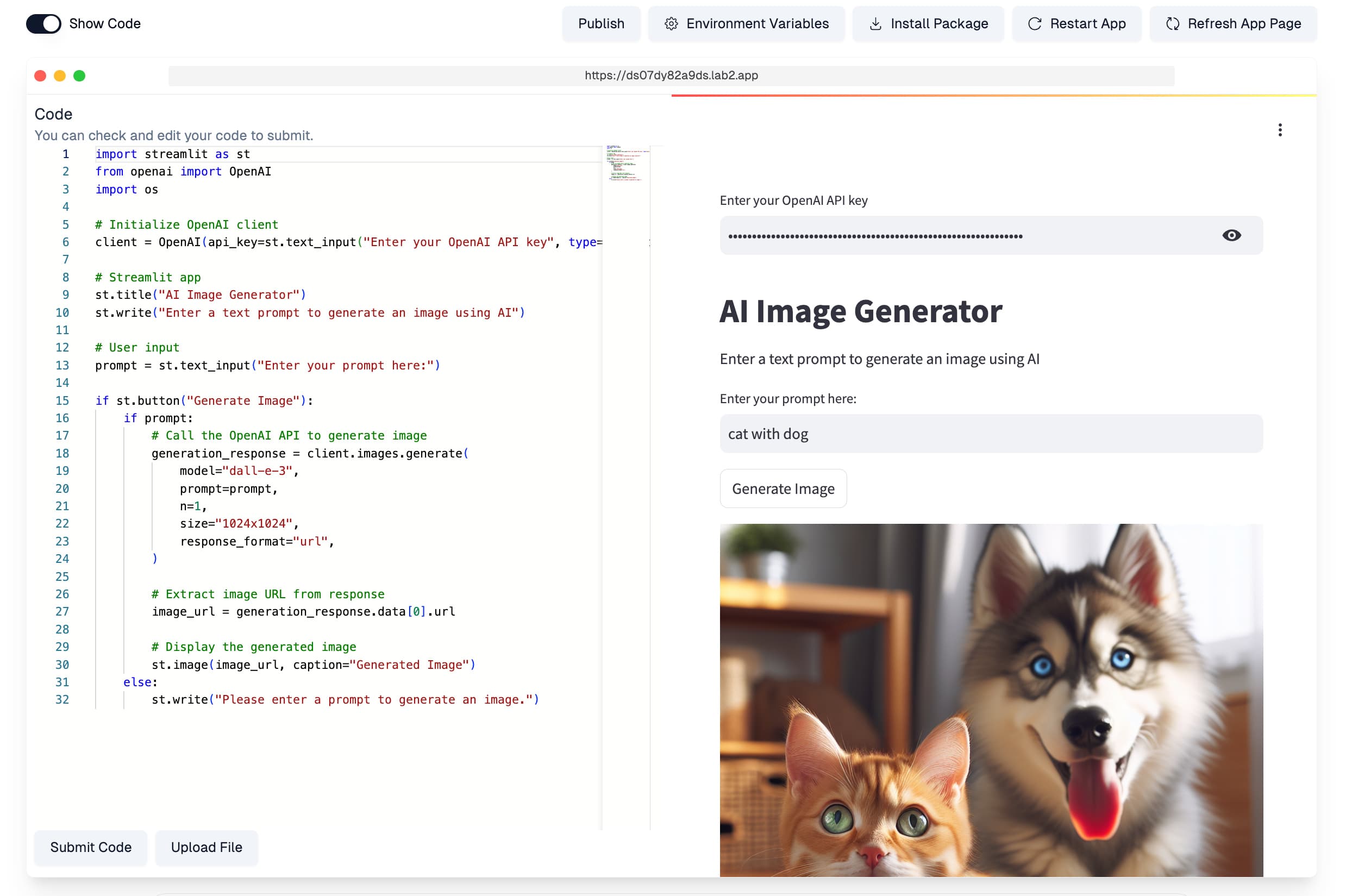
Your own AI image playground, shipped from a sentence
Text-to-image models are everywhere, but giving people a clean way to use one — a prompt box, generation settings, an image gallery — still takes real interface work. With an AI web app builder you skip straight to the product: describe the image generator you want, and lab2 writes the app that takes a text prompt and returns AI-generated images.
The generated app runs in lab2's hosted environment immediately, so you can test it as it's built. Ask the app to let users bring their own API key, add style presets, or show a history of generations — lab2 edits the code and the live preview keeps up. Frameworks like Gradio make image interfaces natural, and lab2 picks the right components from your description.
It's a pattern worth stealing for any AI capability: wrap a model API in an interface people can actually use, then hand out the URL. Publish the finished playground to the gallery, or fork someone else's image app and remix it with your own prompt.
Two steps to an image playground
Prompt the playground
Describe the app: users type text, AI generates images, and anyone can plug in their own access key. lab2 writes the interface and model wiring, then boots the app.

Generate and share
The playground is live at a shareable URL — type a prompt, get images. Keep iterating in conversation to add presets, sizes, or a results gallery.
Text-to-Image App FAQ
More use cases
App generators