Build a Chat-with-PDF Bot
Turn one prompt into a document Q&A app. lab2's AI web app builder writes the code for PDF upload, text extraction, and LLM-powered answers, then hosts the app at a live URL — no code, no deploy step.
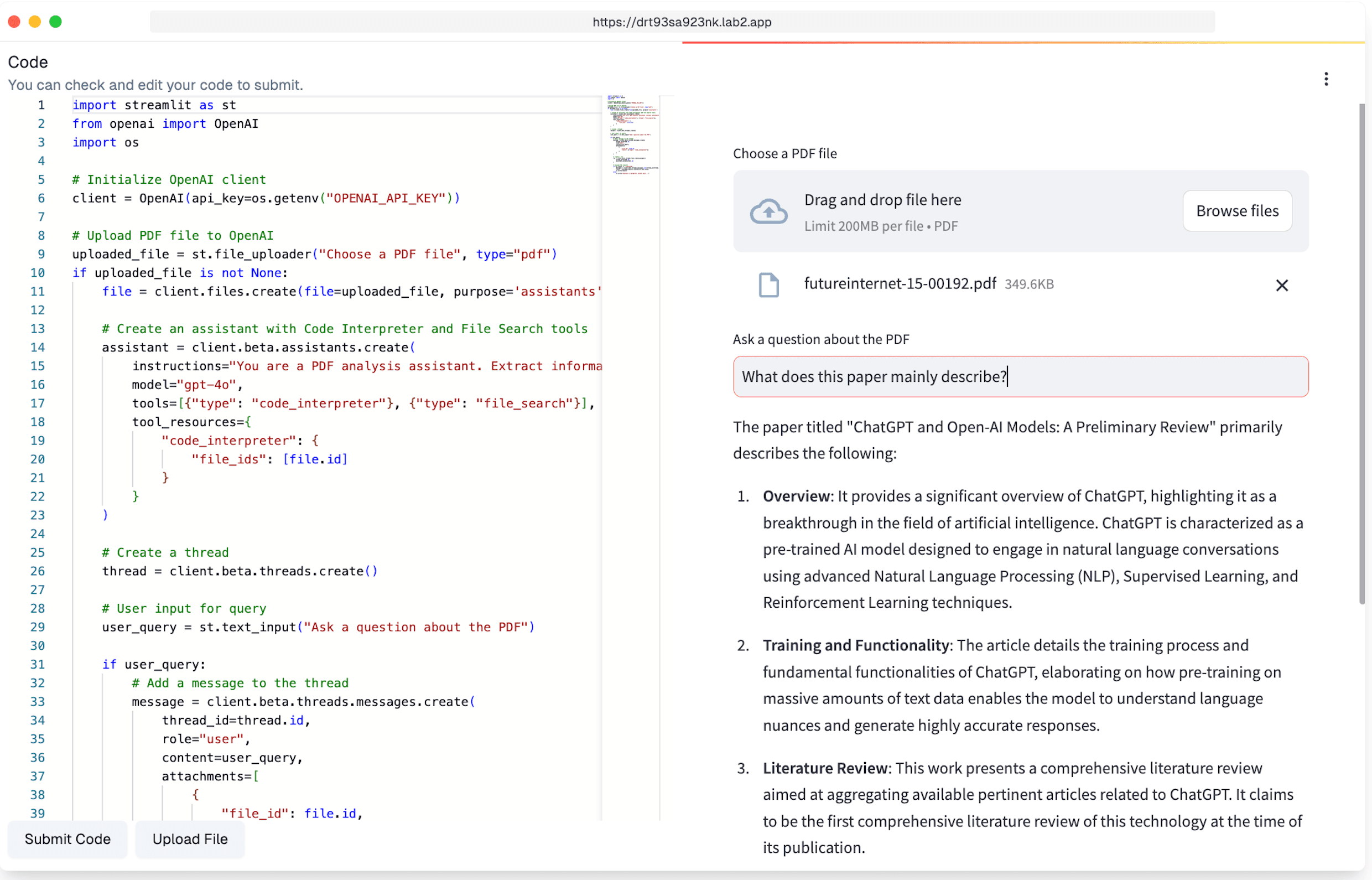
Document Q&A without the plumbing
"Chat with your PDF" apps are deceptively fiddly to build: file upload, text extraction, chunking, prompting an LLM with the right context, and a chat interface on top. An AI web app builder turns that whole pipeline into a description — ask lab2 for a chat PDF bot, and it generates a complete app that accepts a document and answers questions about it.
lab2 runs the generated code in a hosted environment, so you get a working, clickable app rather than a script you still have to assemble locally. Iterate in conversation: ask for source citations, multi-file support, or a summary button, and the assistant edits the code while the live preview updates. Errors get caught and fixed automatically because the app actually runs as it's built.
Point it at contracts, research papers, or internal docs — anything you'd rather query than read cover to cover. The finished bot lives at a shareable URL, so the tool you built for yourself becomes something your whole team can use.
Three steps to a document Q&A app
Prompt: build a chat pdf bot
Describe the app in plain language. lab2 generates the upload flow, PDF text extraction, and the chat interface, then boots it in a hosted runtime.

Add your API key
Answering questions about a document takes an LLM call. Set your API key as an environment variable in the app's settings — it stays private to your app.
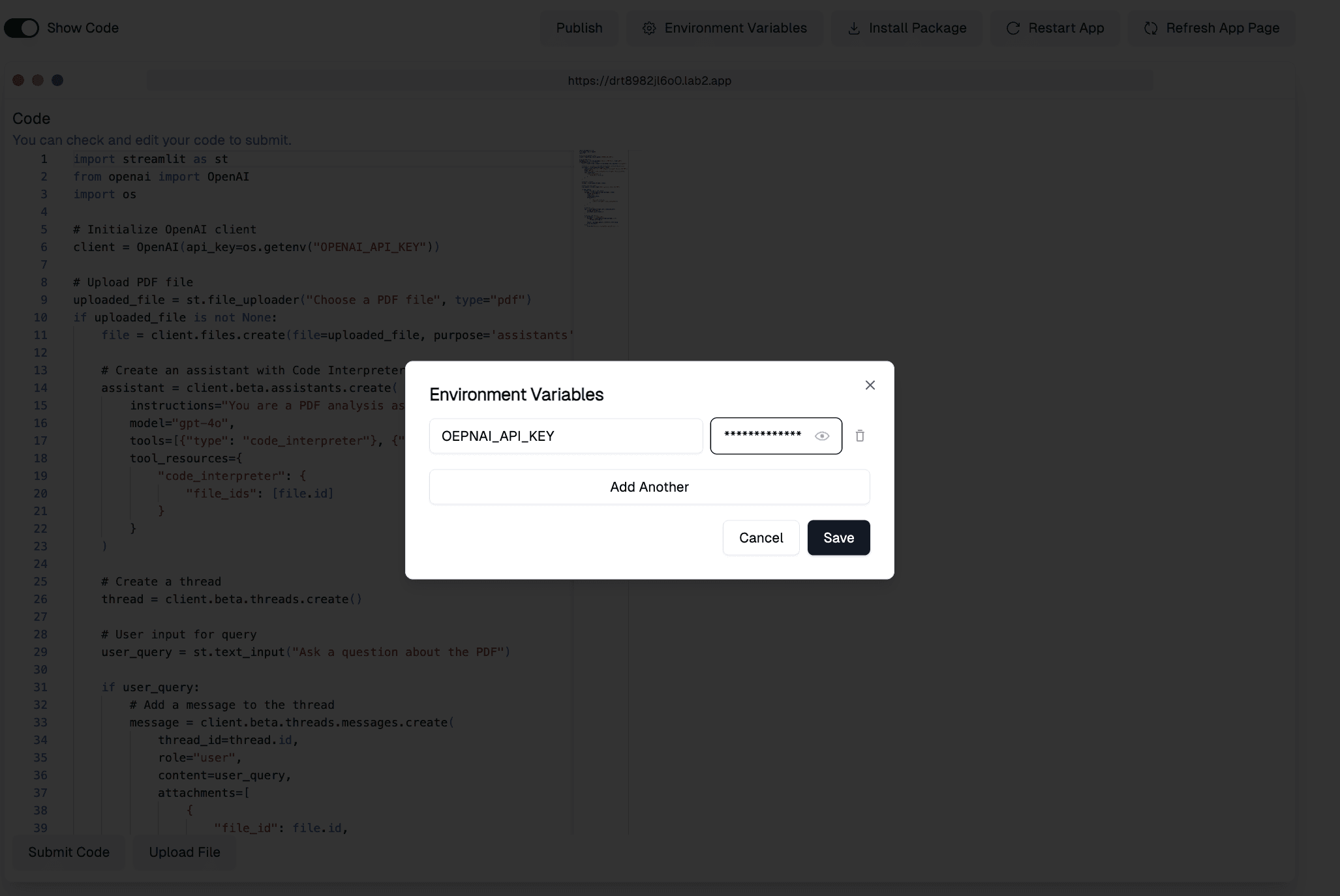
Restart and ask away
Restart the app so the key takes effect, upload a PDF, and start asking questions. The bot is live at a shareable URL from the first run.
Chat-with-PDF Bot FAQ
More use cases
App generators